
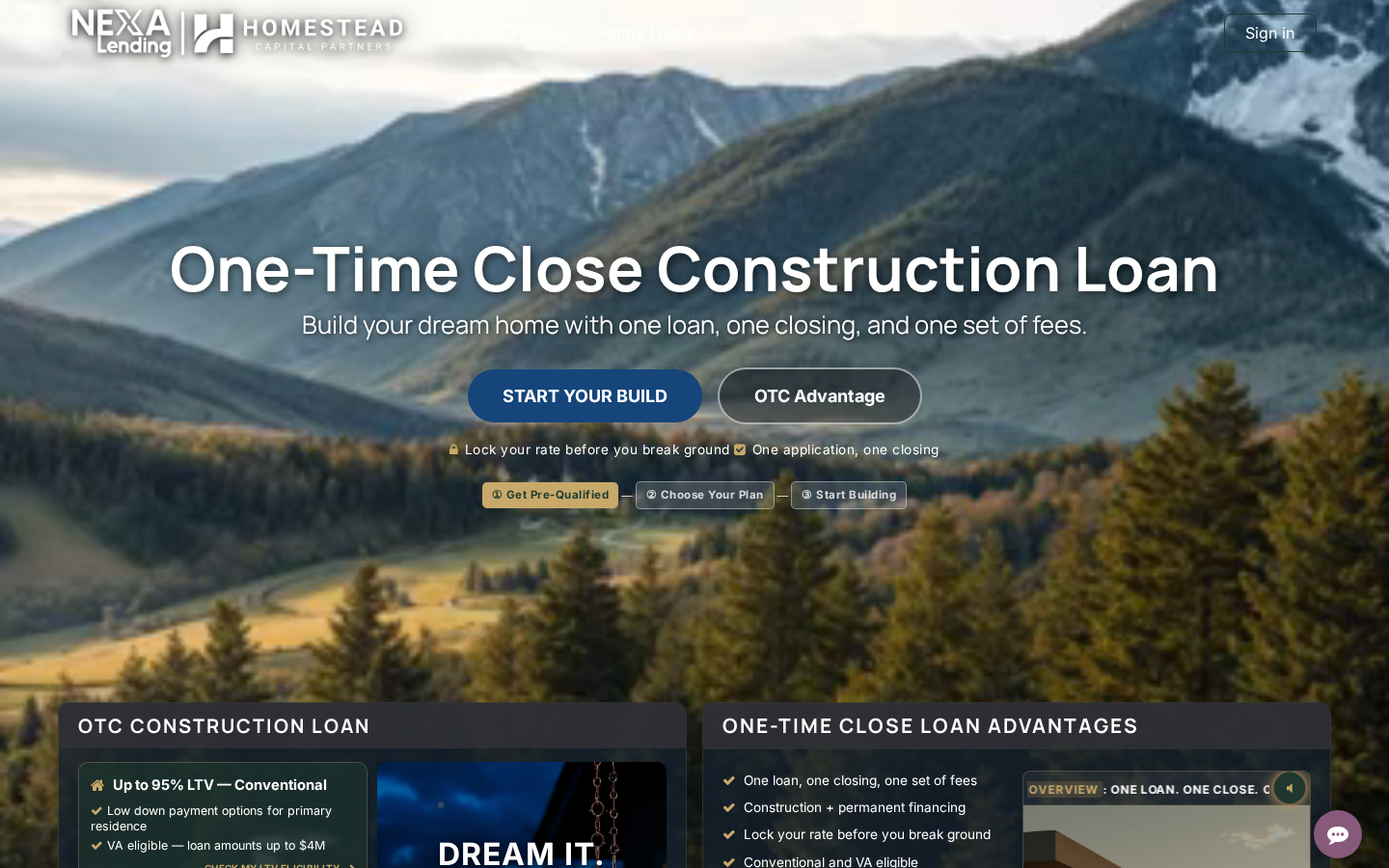
The way homeowners learn about financing is broken. Static pages. Dense policy PDFs. "Click here to learn more" trails that lead nowhere. We rebuilt the experience from the neuroscience up — and the OTC Construction Loan page is the first place you can see it live.
What You Are Looking At
The One-Time Close (OTC) construction loan is a deceptively simple product — one loan, one closing, from groundbreaking to move-in. But explaining it has historically required customers to chase disclosures, read through overlapping regulations, and hope their loan officer has the patience to walk them through it. That friction kills customer confidence and it kills deals.
So we rebuilt the landing page as an adaptive learning surface. Every element on the page is designed around how the brain actually encodes and retains financial information — not around marketing checklists, and not around what's easy to build. The underlying research, the engineering trade-offs, and the citations sit in our internal knowledge base. What follows is the customer-facing story.
The Audio Player That Follows You
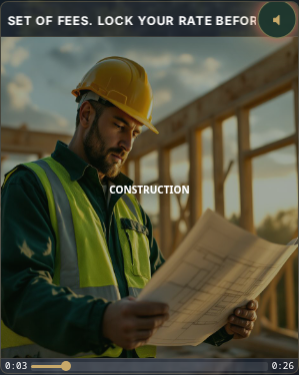
The component that does most of the heavy lifting is the audio narration card in the hero section. On every modern web page the default pattern for an audio card is a static thumbnail + a play button. We rejected that. Here is why, and what we built instead.
Autoplay-muted on first view
When you scroll down far enough that the audio card enters your viewport, the narration begins playing automatically — muted. Browser autoplay policies allow muted playback without a user gesture, and modern users expect it on video. We extended the pattern to audio + captions. The moment you see the card, a series of things happens at once:
- The audio element starts advancing through the 28-second narration timeline
- A cinematic Ken Burns canvas pans across five jobsite scenes synced to the audio clock
- Per-word captions animate in the canvas, scaled to screen size, with the current spoken word visually emphasized
- A muted-speaker icon in the corner of the player pulses gold on a 33ms interval, signalling "tap to hear"
The audio is looped. If you sit on the card for a minute, the captions keep flowing regardless. The point is never "wait for the user to press play" — the point is "carry the message through every channel that does not require consent." Captions are legally safe to animate without user interaction. They become the delivery mechanism for the pitch when sound is silenced, which covers the ~60% of mobile users who browse with their phone muted.
Click to unmute → rewind and restart
Here is the decision that matters most. When you tap the mute icon, the audio does not resume from wherever the loop happens to be. It rewinds to 0:00 and plays with sound from the first word. This is not a UX quirk. It is deliberate exploitation of the primacy effect in working memory: people encode the first 3-5 seconds of a narration with higher fidelity than any middle segment, so hearing the middle of a sentence first leaves them with a weaker impression of the product. We want every listener's first audio impression to land the pitch from the top.
The button turns bright orange the moment you unmute — a color chosen for its association with enthusiasm and activity, per the color psychology literature we vet against — and a circular progress ring fills clockwise around the button as the narration plays. When the ring completes, the audio re-mutes, rewinds, and the captions keep looping. It is a closed loop that never stops presenting the message.
The sticky caption bar — when you scroll past
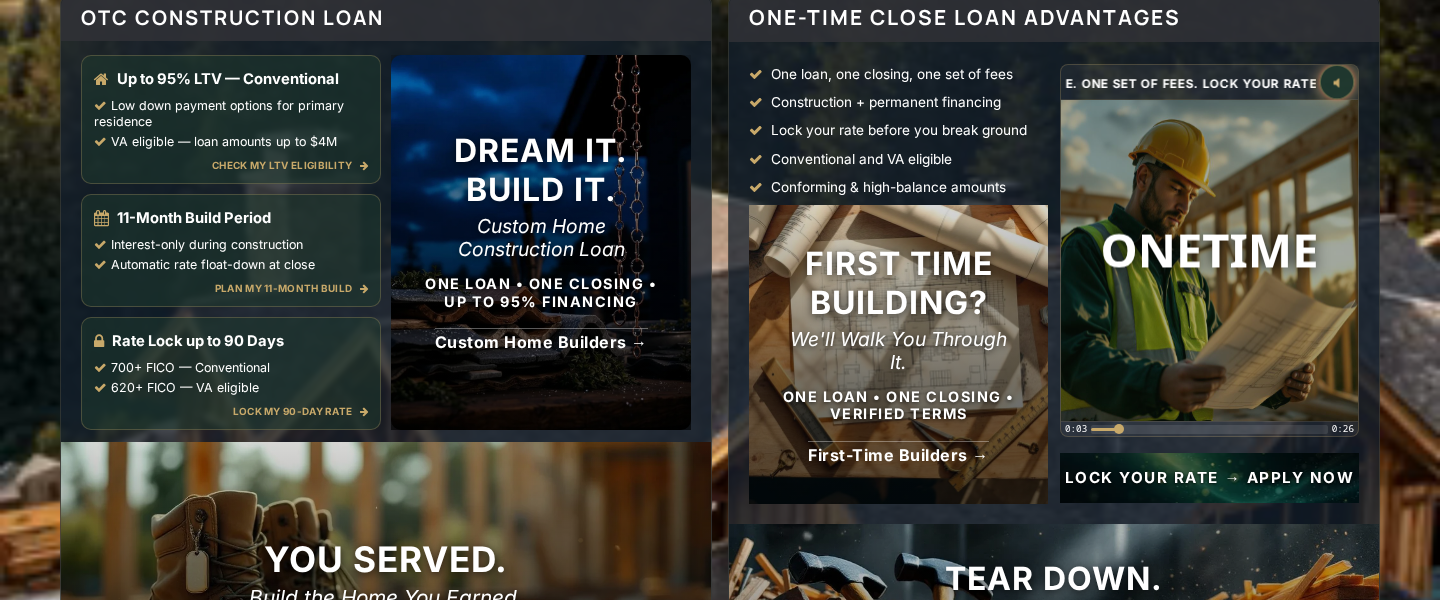
Now here is the bit we think is genuinely novel. When you scroll below the audio card — down to the "why traditional financing fails" cards, the FAQ, the application form — the player does not disappear. A sticky bar drops down below the navigation bar at the top of your viewport and the captions continue streaming there, word by word, in the same font and style as the in-card canvas. The audio element is singular and persistent; the in-card canvas and the sticky bar are two render surfaces reading from the same clock.

On the sticky bar there are three controls:
- Gear menu (left). Click the gear and a small dropdown offers "Close player" as the secondary action. Closing is a deliberate choice, not an impulse — because we want the default affordances to be the ones that keep the message flowing.
- Lock My Rate CTA (center-left). A red button that deep-links to the application form. We put the conversion action inside the caption surface so it is always one click away, at any scroll depth.
- Mute / unmute toggle (right). The same vibrant orange volume-speaker icon with its own circular progress ring. Tap it and the audio rewinds to 0 and plays with sound — identical behavior to the in-card button.

Scroll back up to the audio card, and the sticky bar hides itself automatically. Only one caption surface is visible at a time. The user never sees two copies of the captions.
Why This Matters for Learning Financial Products
Construction loans are the hardest mortgage product in the catalog to explain. They involve multi-phase draws, builder approvals, owner-builder eligibility, 11-month build windows, rate lock extensions, and automatic conversion to permanent financing — any one of which can derail a borrower who missed a paragraph in a traditional PDF disclosure. The product is also uniquely vulnerable to misrepresentation: "as low as 5% down" is a Reg Z trigger term that requires full APR disclosure, so most marketing pages either over-simplify or drown the customer in fine print.
Our solution is to carry the pitch in three parallel channels at once:
- Voiced narration. A 28-second script written to the same script-to-speech timing array the captions read from. Customers who want to listen get the spoken summary.
- Captions streaming word-by-word. Customers who read faster than they listen — or who can't use audio — get the same content via the captions, encoded through the visuospatial channel and the phonological loop at the same time. The dual-coding effect roughly doubles retention compared to a single channel.
- Cinematic imagery on the audio clock. The Ken Burns canvas shows the actual lifecycle of a build: the lot, the foundation, the framing, the finished home. Image-to-word binding is a well-studied encoding boost.
We are aware this sounds like a lot of engineering for one landing page. It is. The reason we built it on OTC first — instead of on our DSCR or reverse mortgage pages, which have more traffic — is that construction loans are the product we most need customers to understand before they apply. Applying for construction financing with the wrong mental model wastes six to eight weeks of the customer's time and erodes trust in the loan officer.
Six Audiences, Six Dedicated Blog Pages (In Development)
The OTC landing page segments customers into six distinct audiences, each with a dedicated tile in the "Who We Help Build" section. Each tile links to an audience-specific blog post — long-form content tailored to the pain points, qualifying criteria, and common questions of that specific customer profile:
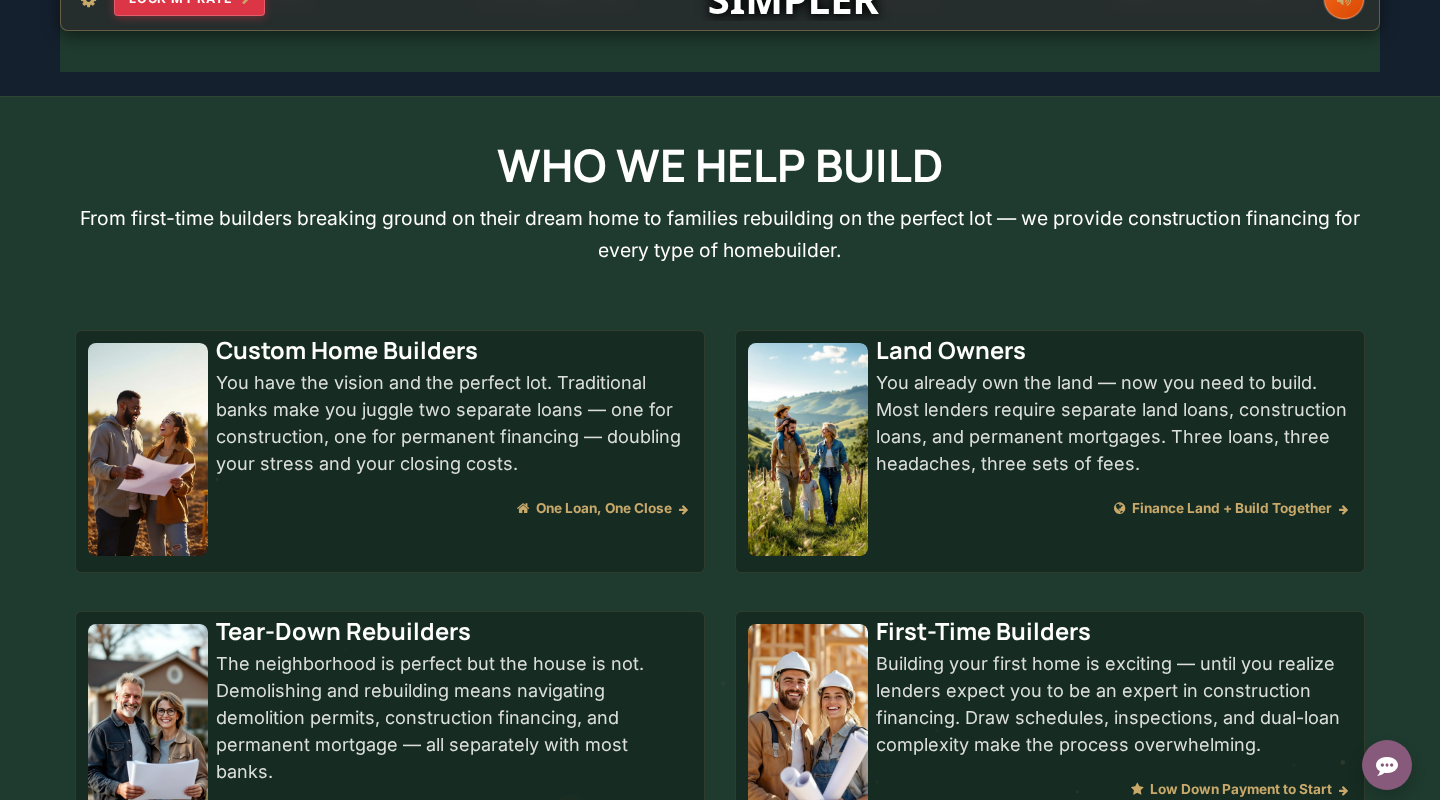
- Custom Home Builders — families with a unique design, an architect, and a vision that does not fit a production builder's template
- Land Owners — borrowers who already own the lot and want to build on it without selling the land first
- Tear-Down Rebuilders — customers replacing an existing structure on a lot they own
- First-Time Home Builders — borrowers who have never managed a construction project and need the most hand-holding through draws, inspections, and builder approvals
- Rural & Acreage Builders — USDA-eligible or non-subdivision construction on rural parcels, including well/septic and longer driveway considerations
- ADU & Addition Builders — homeowners adding an accessory dwelling unit or major addition to their existing primary residence
Each of these six blog posts is being drafted right now by our content team with strict compliance gating (verified UWM terms only, no RESPA violations, no Reg Z trigger terms in body copy). Each post ends with an audience-specific intake form whose hidden audience_type field routes the lead directly to our OTC sales team with the correct persona tag, so the first conversation a borrower has with a loan officer starts from their exact situation — not from a generic discovery script.
When all six blogs are published, the audience tiles on the OTC landing page will link directly to the matching blog, and the application form on each blog will carry the audience context into our CRM. Click the tile that describes you, read the version of the OTC story written for your situation, and fill out a form that already knows who you are. That is the experience we are building.
About the Images Below — Demonstration, Not Compliance
The six audience tile images visible on the OTC landing page are demonstrations of our content team's capability to produce audience-specific visual assets — they are not MLO-compliant as standalone social media posts because they do not carry the required NMLS identifier overlay, Equal Housing Lender logo, or DBA disclosure that federal and Colorado state regulation (SAFE Act, 12 CFR § 1008.103, 24 CFR § 110.25) require on residential lending advertising.
For actual social media publication, our team has a fully MLO-compliant social media asset stack built for each of the six verticals — every image gets an overlay bar at ~10% of image height containing:
- HCP brand logo (left)
- NMLS #2587985 | Licensed CO | NEXA Lending LLC NMLS #1660690 (center)
- Equal Housing Lender logo (right)
Plus a compliance caption template with the full NEXA Lending business address and, for reverse mortgage content, the HECM disclaimer block that must be visible without the viewer clicking "see more." These standards are documented in our internal compliance wiki and enforced across every piece of marketing asset the team ships.
The tiles on the landing page exist to show the visual range of the content library — the storytelling, the imagery, the audience-specific hooks — without the compliance bar cluttering the interior of the website where the footer already carries the required disclosures.
Mobile — Same Experience, Portrait Frame
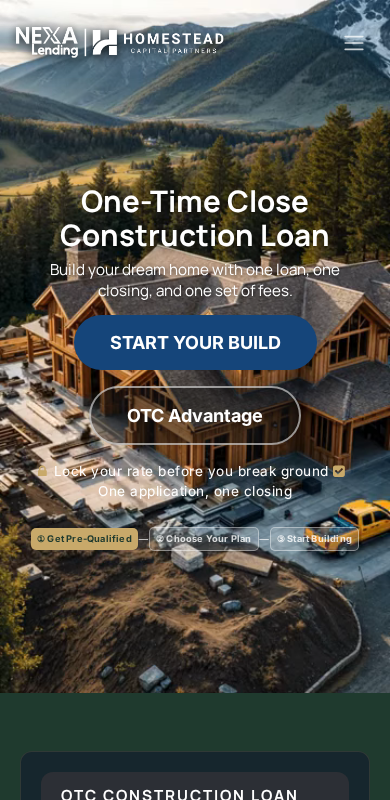
On mobile, the video background is reshaped to a 9:16 portrait aspect ratio so it fills the visible frame without crop distortion. The audio player, the captions, the sticky bar, the audience tiles — every element reflows to the mobile layout without losing any functionality. The sticky bar on mobile sits 84px below the top of the viewport (exactly below the mobile navigation bar), the LOCK MY RATE button shrinks by ~30% so the caption text gets its 2.5×-wider share of the bar, and the captions themselves scale from 22px (mobile) to 40px (desktop) via a clamp() function.

What's Coming Next
This is version one. The next engineering increments the team is working on include:
- Page-wide playlist stacking. Today the OTC page has one audio card. As we add additional product explainer cards (eligibility, application process, post-close expectations), each card gets its own narration. The next iteration adds a user-configurable toggle: (a) auto-switch where scrolling to a new player pauses the current narration and begins the new one, or (b) add-to-playlist where scrolling to a new player queues it after the current track finishes — so skimmers can scroll through the whole page, build a playlist of audio summaries, and then scan back up while the captions deliver each section in sequence.
- DSCR Investment Loan page gets the same standard applied — vertical 9:16 video, narrated player, sticky caption bar, audience-specific tiles with dedicated blog posts for STR investors, BRRRR strategy, portfolio scaling, and first-time DSCR borrowers.
- Reverse Mortgage page gets the same treatment — with the added compliance layer that HECM content requires the borrower-age-62+ disclaimer visible without expansion.
- Business Funding hub gets the standard for its own sub-product set (term loans, lines of credit, MCA, equipment financing, real estate investment).
Each page carries the same two claims: the captions follow you wherever you scroll, and the message meets you where you are in every channel at once.
The Broader Rollout
This is the first public surface of a broader e-learning financial services initiative Homestead Capital Partners is building. The thesis is that most borrowers who walk away from a complex financing product do not walk away because the product is wrong for them — they walk away because nobody gave them the conceptual scaffolding to evaluate it against their own situation. Our job, as a lender and educator, is to build that scaffolding inside the website itself, before the first phone call, so that the phone call with a loan officer can be about application and not about orientation.
Construction financing is where we are starting because it is the hardest product to understand. Every other product in our catalog will get the same treatment once the pattern is proven here.
See the OTC landing page live: Homestead Capital Partners — One-Time Close Construction Loan
Homestead Capital Partners NMLS #2587985 | NEXA Lending LLC NMLS #1660690 | Licensed in Colorado | Equal Housing Lender. Construction loans available. Call for current rates and eligibility. Not all applicants will qualify. This content is informational and not a commitment to lend.